Chapter 2. Dev Uncle's Workshop
The fundamentals you actually need: editor, terminal, Git, deploys
Chapter title card with the chapter's host character and the day of the countdown.
Chai through the ceiling
Next morning, before Jo has even opened the laptop, there's a knock. Dev Uncle from upstairs stands in the doorway in a sleeveless sweater, holding two cups of chai and a dusty keyboard under one arm.
He puts a cup in front of Jo and pulls up a chair as if he owns the room.
He drains his chai and taps the laptop lid.
Dev Uncle is right. You don't need a computer science degree to build with AI. You need a small, solid toolkit and a mental map of how the pieces connect. That's this chapter, and it's the longest setup you'll do in the whole book.
- Set up a real developer machine: editor, terminal, Node.js, Git, GitHub and Claude Code
- Understand the ten concepts that make AI's answers make sense
- Write prompts that get a plan and a result instead of a guess
- Put QueueLess on the internet with a live URL
- Undo a broken change with Git in seconds
The minimum toolkit
Here's everything you need. All of it is free except the Claude plan, and you probably have the first two already.
| Tool | What it is | Why you need it |
|---|---|---|
| A computer | Mac, Windows or Linux, from the last five years or so | Phones and tablets can't run the tools yet |
| A browser | Chrome, Edge, Firefox or Safari | Where you'll see your app, and its errors |
| VS Code or Cursor | A code editorCode editorAn app for viewing and editing a project's files, with a file sidebar and a built-in terminal. VS Code and Cursor are code editors. | A tidy place to see your project's files |
| A terminal | The text window that runs commands | How you talk to your tools directly |
| Node.js (LTS) | The engine that runs JavaScript on your computer | Next.js and almost every web tool need it |
| Git and a GitHub account | Save points for your code, and a home for them online | Undo, backup, and deployment all start here |
| A Claude subscription | Access to Claude and Claude Code | Your sous-chef |
VS Code is free and made by Microsoft. Cursor is built on VS Code with AI features baked in, and has a free tier. Either works with this book, because Claude Code runs in the terminal inside both. Pick one and don't look back.
Ten concepts that make everything make sense
Each of these takes a minute. Together they're the difference between following Sous blindly and knowing what it's doing.
1. Files and folders
A software project is just a folder full of files. Nothing magic. When Sous says "edit src/app/page.tsx", it means "open the src folder, then app, then the file called page.tsx".
A few names you'll see in every project in this book:
| Name | What it is |
|---|---|
src/ | "Source": the code you and Sous write lives here |
package.json | The project's ingredients list: its name, the packages it uses, and its commands |
node_modules/ | The downloaded packages themselves. Huge. Never edit it, never upload it |
.env.local | Secret settings like passwords and keys. Stays on your machine |
.gitignore | A list of files Git should never save, such as node_modules and .env.local |
public/ | Images and files served exactly as they are |
Files starting with a dot, like .env.local, are hidden by default on Mac and Linux. Your editor shows them in the sidebar. That's one reason to use an editor and not just your file explorer.
2. The terminal
The terminalTerminalA text window where you type commands instead of clicking. It runs exactly what you type and prints what happened. is a window where you type commands instead of clicking. It looks scary because it's plain. It's actually the most honest part of your computer: you type, it does exactly that, and it tells you what happened.
On a Mac it's the Terminal app. On Windows, it's PowerShell or Windows Terminal. On Linux, you knew that already. Your editor also has one built in: in VS Code or Cursor, press Ctrl plus the backtick key (`, top left of the keyboard), or choose View → Terminal.
You'll get through 95% of this book with eight moves:
| Command | What it does | Kitchen version |
|---|---|---|
cd queueless | Change directory: move into a folder. cd .. goes up one | Walk into the pantry |
ls | List what's in the current folder | Look at the shelves |
mkdir queueless | Make a new folder | Put up a new shelf |
npm install | Download every package listed in package.json | Stock the kitchen from the list |
npm run dev | Start your app on your own computer | Light the stove |
git status | Show what's changed since your last save point | "What's different since this morning?" |
| Ctrl+C | Stop whatever is running | Turn the stove off |
| ↑ (arrow up) | Bring back your last command | "Same again, please" |
One more that helps when you're lost: pwd (print working directory) tells you which folder you're in. Most "it doesn't work" moments in the terminal are really "you're in the wrong folder".
Yes, it's Control+C on a Mac too, not Command+C. In the terminal, Ctrl+C means "stop", not "copy".
3. The languages you'll see
You won't write these from scratch. You'll read them, enough to spot when something looks wrong. Four show up constantly:
- HTML is the structure: headings, buttons, lists. It's the bones of the page.
- CSS is the looks: colours, spacing, fonts. In this book you'll mostly see it as Tailwind class names like
bg-orange-500 p-4. - JavaScript, and its stricter cousin TypeScript, is the behaviour: what happens when you tap "Add to cart". TypeScript adds labels like "this is a number" so mistakes show up before customers see them. Files end in
.tsor.tsx. - SQL is how you ask a database questions: "give me every order from today". You'll meet it properly in Chapter 7.
Here's a tiny piece of a menu in the kind of code Sous writes. You can probably read it already:
<li className="flex justify-between text-lg">
  <span>Masala chai</span>
  <span>₹40</span>
</li>
A list item, laid out with the name on the left and the price on the right. That's the level of reading you need.
4. Frameworks and libraries
A libraryLibraryA box of ready-made code you call when you need it, such as a set of buttons or a date formatter. is a box of ready-made parts you call when you need them. A frameworkFrameworkA ready-made structure for an app that decides where things go; you fill in the parts. Next.js is a framework. is a whole kitchen layout: it decides where things go, and you fill in the recipes. This book uses three:
- Next.js: the framework. It handles pages, links, loading data and talking to servers. Your app is a Next.js app.
- Tailwind CSS: a way to style things with short class names right in the HTML, so you (and Sous) don't juggle separate style files.
- shadcn/ui: a set of good-looking, accessible components (buttons, dialogs, drawers) that get copied into your project, so you own them and can change them.
Why these three? Partly because they're good. Mostly because they're popular. Remember Chapter 1: the AI makes fewer mistakes with things it has seen thousands of times. Picking a rare, clever framework is like asking Sous to cook a dish from a cookbook it's never read.
5. Packages, and why a bad one is a risk
A packagePackageCode someone has published for others to install, usually from the npm registry. Your package.json lists the ones your app uses. is a library someone has published for anyone to use. You install packages with npm, the Node package manager, which downloads them from a huge public registry at npmjs.com. Your package.json lists them; npm install fetches them into node_modules/.
This is wonderful. It's also how strangers' code ends up in your app. A package can be abandoned, buggy, or deliberately harmful. And AI adds a twist: it sometimes suggests packages that don't exist, or used to exist, or have a name one letter off from a real one. Attackers know this and publish malicious packages under those invented names.
Your defence takes ten seconds. Before installing anything you didn't ask for, search its name on npmjs.com. Check it exists, it has recent updates, and lots of weekly downloads. If in doubt, ask Sous: "Is there a more popular, well-maintained package for this?"
6. Localhost, production, and secrets
When you run npm run dev, your app runs on your own computer at an address like http://localhost:3000. LocalhostLocalhostThe address of your own computer. An app at localhost:3000 is running on your machine, and only you can see it. means "this machine". Only you can see it. It's the kitchen before opening time.
ProductionProductionThe live version of your app, running on a server on the internet for real users. is the real thing: your app running on a server on the internet, at a public address, for real customers. Things that work on localhost can still break in production, usually because of a missing setting.
Those settings are often environment variablesEnvironment variableA named value, like an API key, that your app reads when it runs instead of storing it in the code. Locally it lives in .env.local; in production, in your host's settings.: named values like STRIPE_SECRET_KEY=sk_live_… that your app reads at run time. Locally they live in .env.local. In production you type them into your host's dashboard. This keeps secrets out of your code, so the code can be shared and the secrets can't.
7. Git and GitHub
GitGitA tool that records the history of your project as a series of save points (commits) you can return to at any time. keeps the history of your project. Every time you commitCommitA save point in Git: a snapshot of every file in your project, with a short message describing the change., you make a save point: a snapshot of every file, with a short message like "Add menu page". You can jump back to any save point, any time.
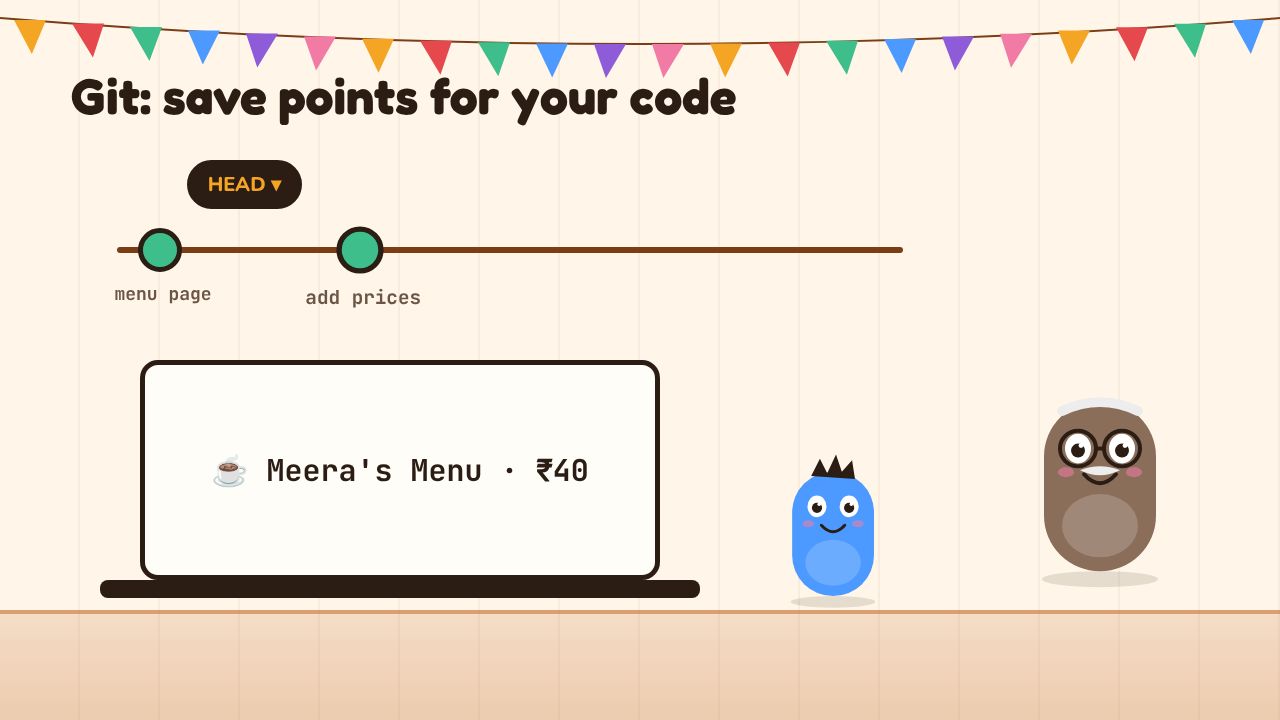
A timeline of four commits. The fourth, 'Sous improves it', breaks the app. Dev Uncle runs git revert and the timeline rewinds to the third commit; the menu is restored.
A few more words you'll hear:
- A repositoryRepository (repo)A project folder together with its full Git history. GitHub stores copies of repositories online. (repo) is the project folder plus its whole Git history.
- A branchBranchA parallel line of commits in Git, used to try changes without touching the main version until you're ready to merge them. is a parallel timeline. You try a risky idea on a branch; if it works, you merge it back; if not, you delete it and
mainnever knew. - GitHub is a website that stores a copy of your repo online. It's your backup, the way you share code, and (in a minute) the way your app gets deployed.
- Push sends your commits up to GitHub. Pull brings changes down.
- Revert creates a new commit that undoes an old one. Restore throws away changes you haven't committed yet.
Here's why this matters so much for vibe coding. Sous will sometimes make a big change that breaks five things at once. Without Git, you'd ask Sous to fix its fix, and it might make it worse. With Git, you go back to the last good save point in one command and try again with a better prompt. Git is the undo button for AI mistakes.
8. Reading errors
Errors aren't the app being rude. They're the app telling you exactly what went wrong, in a language you're about to learn to read.
When something breaks, look in two places:
- The terminal where
npm run devis running. Server-side errors show up here. - The browser console. Right-click the page, choose Inspect, then open the Console tab. Errors from the page itself appear in red.
A typical error comes with a stack traceStack traceThe list of files and line numbers printed with an error, showing the path the code took before it failed. The first line says what went wrong; the rest say where.: a list of files and line numbers showing the path the code took before it fell over. The first line says what went wrong. The lines below say where. Look for a file in your own src/ folder; that's usually the culprit.
TypeError: Cannot read properties of undefined (reading 'price')
    at MenuItem (src/components/menu-item.tsx:12:28)
    at renderWithHooks (node_modules/react-dom/...)
Line one: something expected an item with a price, and got nothing. Line two: it happened on line 12 of menu-item.tsx. You don't need to fix it yourself. You need to hand Sous the whole thing.
Not "it's broken". Not the first line. The whole error, plus what you did just before. Sous is excellent at errors when it can see all of them, and hopeless at guessing.
9. Deployment
DeploymentDeploymentPutting your code on a server so it runs on the internet. With Vercel, every push to GitHub can deploy automatically. means taking your code and running it on a server so the world can use it. This book uses Vercel, the company that makes Next.js. You connect your GitHub repo once. After that, every time you push, Vercel builds your app and puts it live, usually in under a minute. Push to a branch and you get a private preview URL to test before it goes to everyone.
Your app gets a free address like queueless-jo.vercel.app. Later you might buy a proper domain like meerascorner.in. A domain is just a name; DNSDNSThe internet's phone book. It maps a domain name like meerascorner.in to the address of the server that hosts the site. is the internet's phone book that maps the name to the server's actual address. You buy the domain from a registrar, then add a couple of DNS records Vercel tells you to copy. It takes ten minutes of work and up to a few hours to spread around the world. That's all you need to know for now.
10. Inputs, processing, outputs
The last idea is a way of thinking, and it's the one Dev Uncle uses for everything. Every feature, every page, every bug is three questions:
- Inputs: what comes in? (A tap on "Add", a name typed in a form, a payment confirmation.)
- Processing: what happens to it? (Add the item to the cart, check the price, save the order.)
- Outputs: what comes out? (The cart count goes up, a receipt email, a ticket in the kitchen.)
When you describe a feature to Sous this way, it builds the right thing more often. When something breaks, these questions tell you where to look: wrong input, wrong processing, or wrong output.
"Add to cart" for a masala chai:
- Input: the customer taps "Add" next to Masala chai, ₹40.
- Processing: find the cart, add one masala chai, recalculate the total.
- Output: the cart badge shows 1, the total shows ₹40.
Three lines. That's a better spec than most real companies write.
Terminal Escape Room
Type real terminal commands to escape Dev Uncle's workshop.
- ▸ Type commands into the pretend terminal and press Enter.
- ▸ Each room needs one command to open the next door.
- ▸ Type `hint` if stuck. It costs a few points.
Prompting fundamentals
Now that you know the words, you can give Sous better instructions. A good prompt has six ingredients:
- A specific outcome. Not "improve the menu" but "show each item's price right-aligned in bold".
- The user. Who is this for? "Customers ordering on a phone while queueing" changes everything.
- Constraints. What not to touch, which tools to use, what to keep. "Use shadcn/ui. Don't change the colours."
- Examples. Real data, a screenshot, a site you like. Examples beat adjectives.
- A plan before code. Ask for the plan, read it, then say go.
- Ask it to explain. After a change, ask what it did and why. It's free tuition.
| Bad prompt | Good prompt | Why it's better |
|---|---|---|
| "Make a menu" | "Make a menu page with these five items and prices; don't add any others" | Real data, nothing to invent |
| "Make it look better" | "Make the prices bigger and right-aligned. Use deep orange for headings. Keep everything else" | Specific outcome plus a constraint |
| "Add login" | "Before writing code, plan how customers would sign in with a phone number. List the files you'd change" | Plan first, on a big feature |
| "It's broken, fix it" | "After I clicked Add, the page went blank. Here's the full error from the terminal: …" | What you did, plus the whole error |
| "Install a chart library" | "I need a simple bar chart of daily orders. Suggest a popular, maintained package and explain why" | Lets you check the package exists |
- Invented or outdated packages. AI sometimes suggests packages that don't exist or are long abandoned. Look up any unfamiliar package on npmjs.com before installing it.
- Old instructions. Tools change fast. If Sous gives commands that error, ask it to check the current official docs, or check them yourself.
- Never paste secrets into a prompt unless you truly have to, and never into a public place. Never commit
.env.local; make sure it's in.gitignore. - Commit before every big AI change. If it goes wrong, revert. Don't ask Sous to fix its fix three times in a row.
- "It works" isn't proof. Ask Sous what it changed, then check the page yourself.
Git Time Machine
Commit, branch and revert your way out of Sous's mess.
- ▸ Each puzzle shows a commit history and a goal.
- ▸ Pick the git command that reaches the goal.
- ▸ Watch the graph change after each move.
The workshop: from empty laptop to live URL
This is the big one. Make a fresh chai. Steps 1 to 4 are one-time setup. Steps 5 to 9 are the loop you'll repeat for the rest of the book.
Set up your machine and put QueueLess live
⏱ 90 min0/9Download VS Code from code.visualstudio.com or Cursor from cursor.com. Install it like any other app.
Open the downloaded file and drag the app into Applications. Then open it from Applications.Open it, then open the built-in terminal from View → Terminal.
✅ You should see: The editor opens with a Welcome tab, and a terminal panel appears at the bottom when you choose View → Terminal.😵 Stuck?
On a Mac, if it says the app "can't be opened because it is from an unidentified developer", right-click the app in Applications and choose Open, then confirm.Go to nodejs.org and download the LTS version. LTS means "long-term support": the stable one. Ignore "Current".
Run the.pkginstaller and click through.Close and reopen your terminal, then check:
node -v
npm -v
✅ You should see: Two version numbers, such asv24.x.xfor Node and11.x.xfor npm. Any current LTS version is fine.😵 Stuck?
"command not found" or "not recognized" usually means the terminal was open before you installed. Close every terminal window (and restart your editor) and try again.First check whether Git is already there:
git --versionIf Git isn't installed, macOS offers to install the "command line developer tools". Click Install and wait a few minutes.Tell Git who you are. Use the same email you'll use for GitHub:
git config --global user.name "Jo Sharma"
git config --global user.email "jo@example.com"
git config --global init.defaultBranch main
Now create a free account at github.com. Then install the GitHub CLI, a terminal tool for GitHub:
If you have Homebrew, runbrew install gh. Otherwise download the installer from cli.github.com.Then sign in:
gh auth loginChoose GitHub.com, HTTPS, say yes to authenticating Git, and Login with a web browser. It shows a one-time code; paste it into the page that opens.
✅ You should see:gh auth statussays you're logged in to github.com as your username.Claude Code is the agent you'll build with. It needs a paid Claude plan or an Anthropic Console account; check claude.com/pricing for current options.
Install it with the official command for your system. These are from the docs as of late 2026; if one fails, use the official setup page, which always has the current version.
curl -fsSL https://claude.ai/install.sh | bashThe installer shows no progress while it downloads, so be patient. Then open a new terminal and check:
claude --versionNow make an empty folder, go into it, and start Claude Code:
mkdir claude-hello
cd claude-hello
claude
On first run it asks you to log in; follow the browser prompt. Then ask it:
💬Meet Claude Codepaste into ClaudeI'm completely new to coding. In plain English, tell me what you can do in this folder: can you create files, run commands, read my code? What will you always ask my permission for? Keep it under 150 words.
✅ You should see: A version number fromclaude --version, then a short, friendly explanation. Notice that it asks permission before running commands or editing files. That's your safety catch.😵 Stuck?
If your terminal saysclaudeisn't found, the install folder isn't on your PATH yet. Open a fresh terminal first; if it still fails, follow the "command not found" section of the official troubleshooting page.Type
/exit(or press Ctrl+C twice) to leave Claude Code. Go back up a folder and create a real Next.js app:cd .. npx create-next-app@latest queuelessIt asks a few questions. Accept the recommended defaults: TypeScript, ESLint, Tailwind CSS, the App Router, and a
src/directory if asked. Then:cd queueless npm run devOpen http://localhost:3000 in your browser.
✅ You should see: The terminal says something likeReadywith aLocal: http://localhost:3000line, and the browser shows the Next.js starter page.😵 Stuck?
"Port 3000 is in use" means something else is running there. Next.js will offer port 3001 instead; use that address. Or find the other terminal and press Ctrl+C.Leave
npm run devrunning. Open a second terminal tab, go into thequeuelessfolder, and runclaude. Commit first, as Dev Uncle insists:git add -A git commit -m "Fresh Next.js app"(
create-next-appalready made this folder a Git repo for you. Ifgit commitsays "not a git repository", rungit initfirst.)Then give Claude Code this prompt:
💬Bring Meera's menu into the apppaste into ClaudeThis is a fresh Next.js app (App Router, TypeScript, Tailwind). Replace the starter home page with the menu for Meera's Corner, a chai café in Ludhiana. Real menu (use exactly these, don't add items): - Masala chai ₹40 - Cutting chai ₹25 - Ginger chai ₹45 - Bun maska ₹50 - Veg sandwich ₹90 Requirements: - Keep the menu data in its own file (src/data/menu.ts) so we can reuse it later. - Phone-first layout, warm orange and cream colours, prices right-aligned. - Heading "Meera's Corner" and the line "Order ahead, skip the queue." Before you write code, show me a short plan with the files you'll create or change. Wait for my OK.
Read the plan. Say "OK, go ahead". Approve the file edits when it asks.
✅ You should see: The browser at localhost:3000 reloads by itself and shows the five-item menu. A new filesrc/data/menu.tsholds the items.😵 Stuck?
If the page shows a red error box, copy the whole error and paste it to Claude Code with "This appeared after your change."Check what changed, then save it:
git status
git add -A
git commit -m "Add Meera's menu page"
Now create a repo on GitHub and push your code to it, in one command:
gh repo create queueless --private --source=. --push✅ You should see:git statusshowsnothing to commit, working tree clean, and the last command prints a link likehttps://github.com/your-name/queueless. Open it: your files are there..env.localandnode_modulesare not.😵 Stuck?
If GitHub says the name already exists, pick another, likequeueless-app.Go to vercel.com and sign up with your GitHub account. Then:
- Click Add New… → Project.
- Find
queuelessin the list of your GitHub repos and click Import. Allow Vercel access to it if asked. - Leave the settings as they are (Vercel recognises Next.js) and click Deploy.
Wait about a minute. Confetti.
✅ You should see: A live address likehttps://queueless-abc123.vercel.app, showing your menu. Open it on your phone. Send it to someone.😵 Stuck?
If the build fails, open the build logs on Vercel, copy the whole error, and paste it to Claude Code: "My Vercel build failed with this error." The fix is usually small, like a TypeScript complaint you didn't see locally. Fix, commit, push, and Vercel tries again by itself.This is the most important step in the chapter. In Claude Code, ask:
Change the home page so it only shows the word "OOPS" in giant red letters. Delete the menu.
Watch localhost:3000 turn into a disaster. Now undo it. Because you haven't committed the disaster, one command restores everything:
git restore .The menu is back. Now do it again, but this time commit the disaster and push it, so it goes live:
git add -A
git commit -m "Oops"
git push
Check your live URL in a minute: OOPS. Now undo a committed change with revert, which makes a new commit that cancels the old one:
git revert HEAD --no-edit
git push
✅ You should see: Aftergit restore ., the menu returns instantly on localhost. Aftergit revertandgit push, Vercel redeploys and the live menu is back within a minute.git log --onelineshows "Revert "Oops"" at the top.😵 Stuck?
Ifgit revertopens a strange text editor, you forgot--no-edit. Type:wqand press Enter to save and close it.
Something broke. Here's what I did just before: [describe the last thing you did or asked for].

Here's the full error from [the terminal / the browser console / the Vercel build log]:

[paste the entire error, every line]

Explain in plain English what went wrong, then propose the smallest fix. Don't change anything else.
You suggested installing the package [package-name]. Before I install it:
1. What does it do, in one sentence?
2. Is it widely used and actively maintained? Point me to its npmjs.com page.
3. Is there a more popular alternative, or can we do this without a new package?
Explain the changes you just made, file by file, in plain English. For each file: what changed and why. Then tell me how I can check in the browser that it works.
What you've learned
- A project is a folder.
src/holds your code,package.jsonlists ingredients,.env.localholds secrets and never gets committed. - Eight terminal moves cover most of what you'll do:
cd,ls,mkdir,npm install,npm run dev,git status, Ctrl+C and arrow-up. - Popular tools (Next.js, Tailwind, shadcn/ui) make the AI better. Check unfamiliar packages before installing.
- Localhost is your kitchen before opening; production is the real café. Secrets live in environment variables.
- Commit before every big AI change.
git restore .undoes uncommitted mess;git revertundoes a commit. - Paste the whole error. Ask for a plan before code.
The crash
Day 3, late evening. Jo is asking Sous to redo the whole menu layout when the laptop fan screams, the screen freezes, and everything goes black.
Footsteps on the stairs. Chai first, as always.
The laptop reboots. Half-finished files are a mess. Jo types git status, sees a list of broken changes, and types git restore .. The last good menu is back, exactly as it was. Upstairs, on GitHub, an untouched copy waits too.
Then Jo's phone buzzes. The Vercel dashboard shows a visitor on the live menu page. Not Jo. Not Meera. Someone in Ludhiana, on a phone, at 10:42 pm.
Checkpoint quiz
Which file should never be committed to Git?
Badge: Live on the Internet
Figures are as reported by the linked sources (many are founder- or vendor-reported). Tools and prices change monthly.