Start here
This book makes one promise. You start at "what is code?" and finish with a live, secure, paid app on the internet. It takes about 30 evenings, an hour or two at a time.
You won't become a software engineer in a month. Nobody does. But you will understand how real apps fit together. You'll know how to direct an AI to build one, and you'll know how to check its work. That last part matters most.
Who this book is for
It's for anyone who can use a laptop and has never shipped software. Founders with an idea and no technical co-founder. Designers tired of handing off mockups that come back wrong. Marketers, ops people, students, curious parents.
You don't need maths. You don't need to have "always been good with computers". You need curiosity, a bit of patience, and the willingness to read an error message instead of panicking at it.
If you already code, you'll move fast through Part I. The security, data and process chapters will still earn their keep.
The story
Every chapter follows one person, Jo, and one promise made over dinner. Here's where it starts.
The night before Day 1
Meera's Corner is a small chai café on a busy Ludhiana street. Tonight the shutters are half down, and Meera Aunty is doing sums on the back of a menu.
Jo looks at the steaming kettle. The Diwali lights already strung across the window. The calendar on the wall.
Jo shakes on it. Neither of them knows yet that the app will need a waiter, a bouncer, a pantry keeper and a slightly alarming hacker to get there.
The app Jo builds is called QueueLess. Customers pre-order chai, skip the queue and earn loyalty points. By the end it's ready for other cafés too. You build the same app, on your own machine, alongside Jo.
Meet the cast
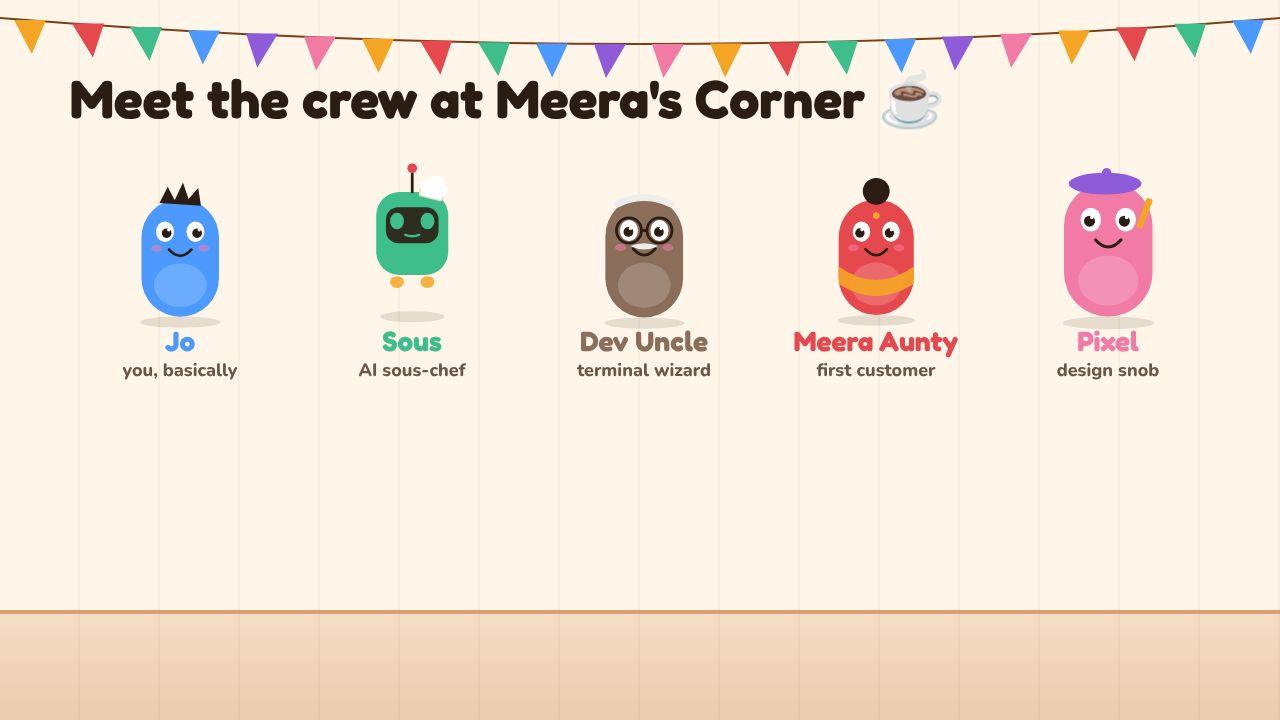
The ten characters of Meera's Corner pop in with their names and roles: Jo, Sous, Dev Uncle, Meera Aunty, Pixel, Chef Ravi, Tiku, Gita, Omar and Vex.
Every character owns one big idea. When a concept gets tricky, the character who owns it walks in and explains it in café terms. You'll start to hear their voices in your head. That's the point.
| Character | Who they are | The concept they own |
|---|---|---|
| Jo | The hero. Marketing job, never coded. | Your journey |
| Sous | Jo's AI sous-chef, standing in for Claude and other coding agents. | LLMs, agents, prompting |
| Dev Uncle | Retired engineer who lives upstairs. | Fundamentals: terminal, Git, deploys |
| Meera Aunty | Owns the chai café. The first customer. | Users, validation, specs |
| Pixel | Design student on weekend shifts. | UI and design systems |
| Chef Ravi | Runs the kitchen. Nobody enters without permission. | Servers and secrets |
| Tiku | Lightning-fast waiter. | APIs, HTTP, webhooks |
| Gita | The host at the door with the reservation book. | Authentication and authorisation |
| Omar | Pantry keeper with labelled shelves. | Databases and performance |
| Vex | Grey-hat hacker turned security tester. | Attacks and real-world flaws |
You'll also meet Kabir, a rival founder who ships fast and skips security. Watch what happens to him. Learn from it so you don't have to live it.
The café is the map
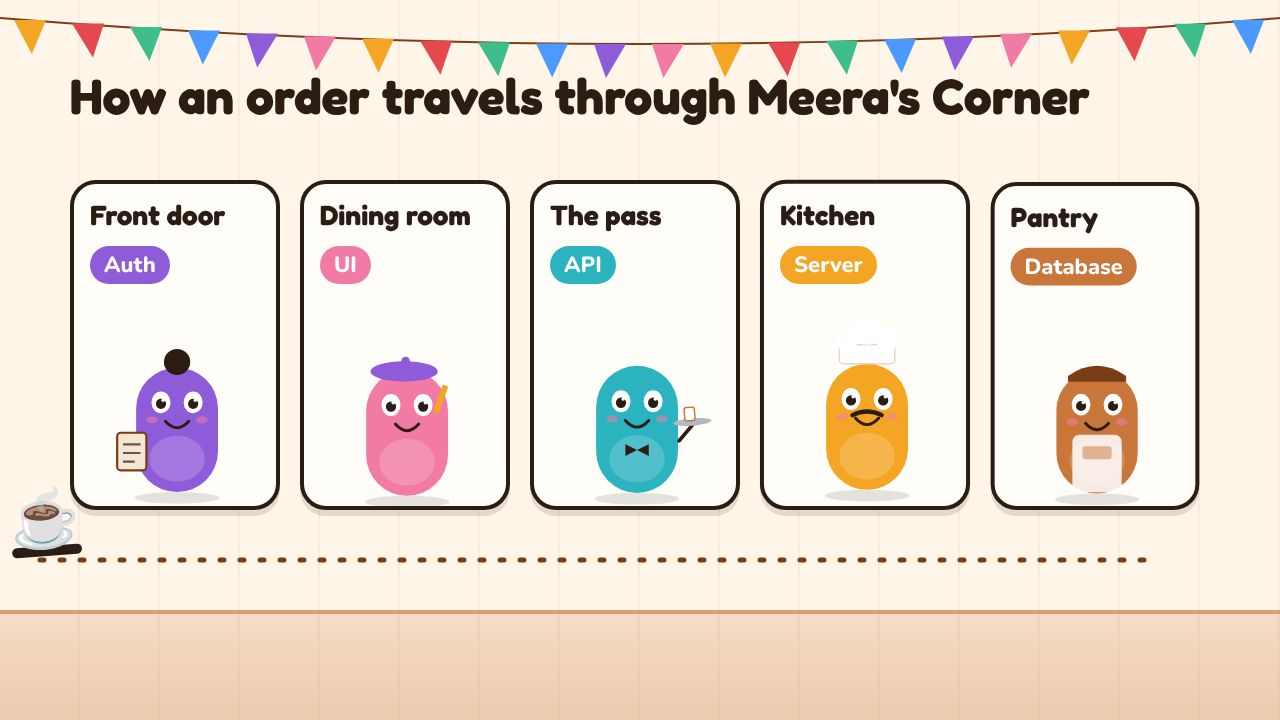
A chai order travels through five rooms labelled Auth, UI, API, Server and Database. At the end Vex tries to enter and Gita asks for a wristband.
Every web app is built like a restaurant. Once you see it, you can't unsee it. Follow one chai order from the street to the pantry:
- The door is auth. Gita checks who you are before you're seated. That's authenticationAuth (authentication and authorisation)Authentication checks who you are, like logging in. Authorisation decides what you're allowed to see or change once you're in. (who are you?) and authorisation (what are you allowed to touch?).
- The dining room is the UI. Everything the customer sees and taps: menus, buttons, the order screen. That's the user interfaceUI (user interface)Everything a person sees and taps in an app: screens, menus, buttons and forms., and Pixel's territory.
- The pass is the API. Tiku carries orders from the dining room to the kitchen and brings back answers. That's an APIAPIA fixed, agreed way for two pieces of software to talk: one sends a request, the other sends back a response.: a fixed way for two pieces of software to talk.
- The kitchen is the server. Chef Ravi decides what actually gets made, at what price. The serverServerA computer you control, usually rented in the cloud, that runs the parts of your app users mustn't touch: prices, permissions, secrets and data. is where the real rules and secrets live, away from customers' hands.
- The pantry is the database. Omar keeps every order, customer and loyalty point on labelled shelves. The databaseDatabaseOrganised storage where your app keeps and finds its data, like orders, customers and loyalty points. is where your app remembers things.
When something breaks later in the book, you'll ask: which room is it in? That one question will save you hours.
Anything in the dining room, a customer can touch. Prices, permissions and keys belong in the kitchen. You'll see why in Chapter 3, in a very expensive way.
How each chapter works
Every chapter follows the same five beats, so you always know where you are.
- Scene. A short story moment. Something goes wrong at the café, or someone has an idea.
- Learn. The concept behind it, in plain words, with the café as the picture.
- Lab. You do it for real, on your own laptop, with real tools. Each step tells you what you should see, and what to do if you're stuck.
- Play. Small games that make the idea stick. Sort secrets into the kitchen. Race a waiter. Spot the flaw.
- Checkpoint. A short quiz, then you tick the chapter off and collect its badge.
Chapters have copy-ready prompts too. Steal them. Change them. They're there to show what a good request to Claude looks like.
Progress, badges and Jo's journal
The book remembers where you are. Finished chapters, quiz scores, badges and lab notes are saved as you go.
If you're not signed in, all of that lives in your browser on this device. Clear your browser data and it's gone. If you sign in, it's saved to your account, so you can switch between laptop and phone.
As you work, the book fills in Jo's journal: your live URLs, your repo link, decisions you made. By the end it's a record of everything you shipped.
Jo is a stand-in for you. Open the Account page and change the name setting, and the story uses your name from then on.
What you'll need
You need less than you think.
- A laptop. Mac, Windows or Linux. Nothing fancy; if it runs a modern browser well, it'll do.
- Internet. You'll be installing tools and talking to Claude.
- A Claude plan. The free plan is enough for Chapter 1. From Chapter 2 you'll use Claude Code, and a paid plan makes that much smoother.
- Free accounts on GitHub (where your code lives), Vercel (where your app goes live) and Supabase (your database and logins). Their free tiers cover everything in this book.
- Stripe in test mode. You'll build real payments, with fake cards. Test mode costs nothing.
All in, expect roughly $20–25 a month while you're building, mostly for the Claude plan. That's as of late 2026. Prices change often, so check each tool's official pricing page before you sign up.
The reading order
The book has four parts, following the four acts of Jo's month.
| Part | Act | What you'll do |
|---|---|---|
| I · The new way to build | The Promise | Meet Sous, set up a real machine, ship a first page |
| II · How software fits together | Opening the Doors | UI, servers, APIs, and the security lessons Vex teaches the hard way |
| III · Data | The Rush | Databases, choosing a backend, staying fast at 300 orders a minute |
| IV · Building with Claude | Ship It | The loop, the process, and the full QueueLess build |
Read in order. Each chapter leans on the one before.
One deliberate oddity: in Part IV you read Chapter 12 before Chapter 11. Chapter 12 is the real process: talking to users, writing a spec, building a design system. Chapter 11 is the full build. Jo learns the process the hard way, after a near-disaster, so the story tells it in that order. You get to use it the right way round.
After the chapters there's the Diwali finale, plus a set of templates, real case studies and people worth following.
Free vs the full book
Chapters 1 to 3 are free, along with this page, the case studies and the people-to-follow list. That gets you from "what is code?" to a live page on the internet with a proper design.
The full book unlocks Chapters 4 to 12 and the finale: servers, APIs, security, databases, the professional Claude workflow and the complete QueueLess build. It also unlocks the full prompt library and templates.
Start free. If the first three chapters work for you, you'll know whether you want the rest.
Ready?
Jo has a laptop, a promise and thirty days. You've got the same, minus the cup-washing penalty.